Enrolling in Group Lessons
This page includes instructions for enrolling a child in group lessons, both on a web browser and in the SwimGuru mobile app. Each method includes step-by-step pictures.
Things to know prior to enrolling:
Group lesson enrollment is restricted by age and ability.
Age is determined automatically in the system, so please ensure your swimmer’s birthdate is correct.
“Ability” is determined by the coach. At the very least, the student needs to have completed a New Student Starter Package of private lessons, completed their clothing experience, and are working on their swim-and-side glide skill. Please talk to your child’s coach about the clothing experience and the skill. They will need these added to their profile (as “belts”) before they can be enrolled in group lessons.
Group lessons are an 8-week course. Make-up classes are only provided if the class is cancelled due to instructor illness, inclement weather, or other similar event.
You can enroll after lessons begin. You will pay a pro-rated cost.
There are 4 wait list spots for each lesson. If you choose to be added to the wait list you will be notified if a spot becomes available. You have 18 hours to enroll and pay for the session. If you do not enroll in this time a notification will be sent to the next person on the wait list.
Existing group lesson students are eligible for pre-enrollment prior to the general schedule release. All enrollment is first-come, first-served.
If you do not see a lesson time that works for you, please fill out the Interest form on our Contact Us page as it helps us plan for the next session!
Enrolling via a web browser:
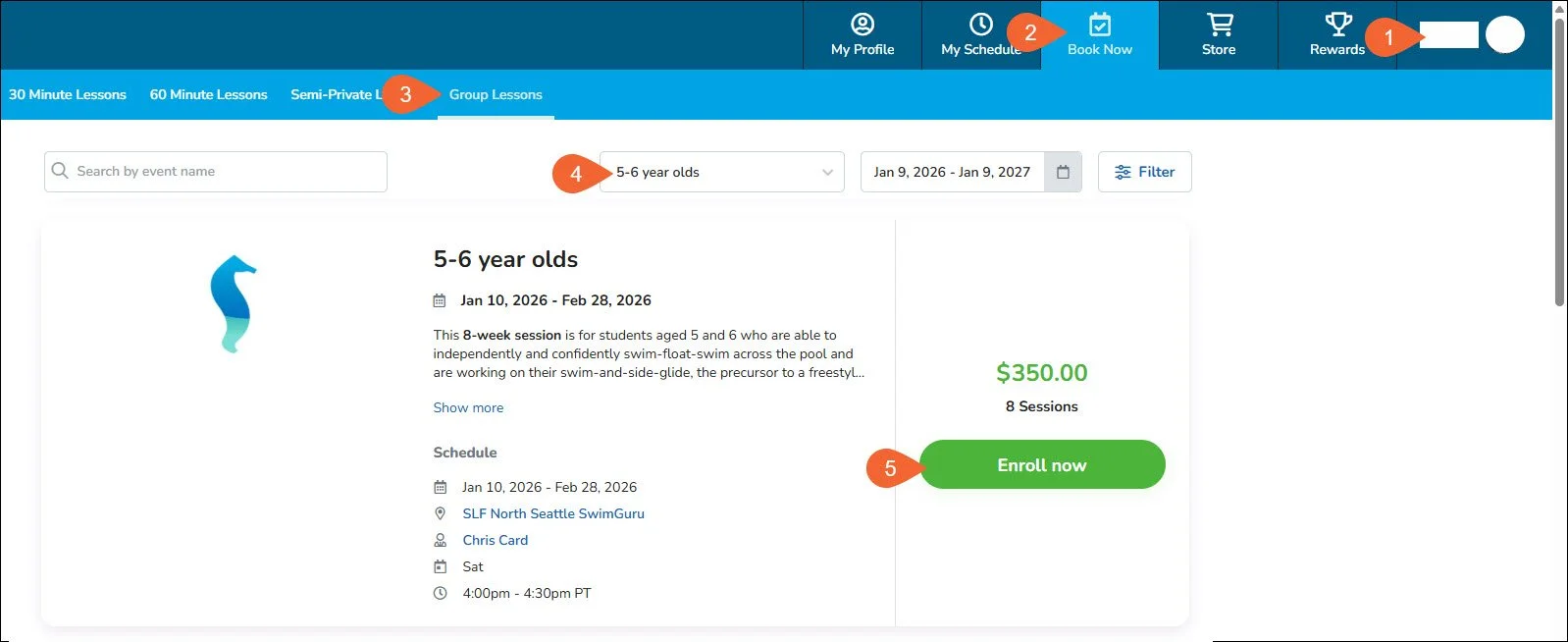
Ensure you are logged into the profile of the student who is enrolling. Click on the avatar on the top right to change.
Click the “Book Now” tab in the upper ribbon.
Click the “Group Lessons” tab in the lower ribbon.
Filter for the age group that matches the swimmer’s age. You may also use the filters to limit classes offered on certain days of the week or time of day.
Each session will have a set schedule for the 8-weeks. You can see details of day, time, coach, and location for each session. Click “Enroll now” (or “Wait list”) to begin the enrollment process.
Note: if the student does not meet the criteria for the lesson type you will either see “Enrollment restricted” instead of “Enroll now” or you will get an error message stating the applicable age group for this event. Please reach out to support@swim.guru if you feel this is in error.
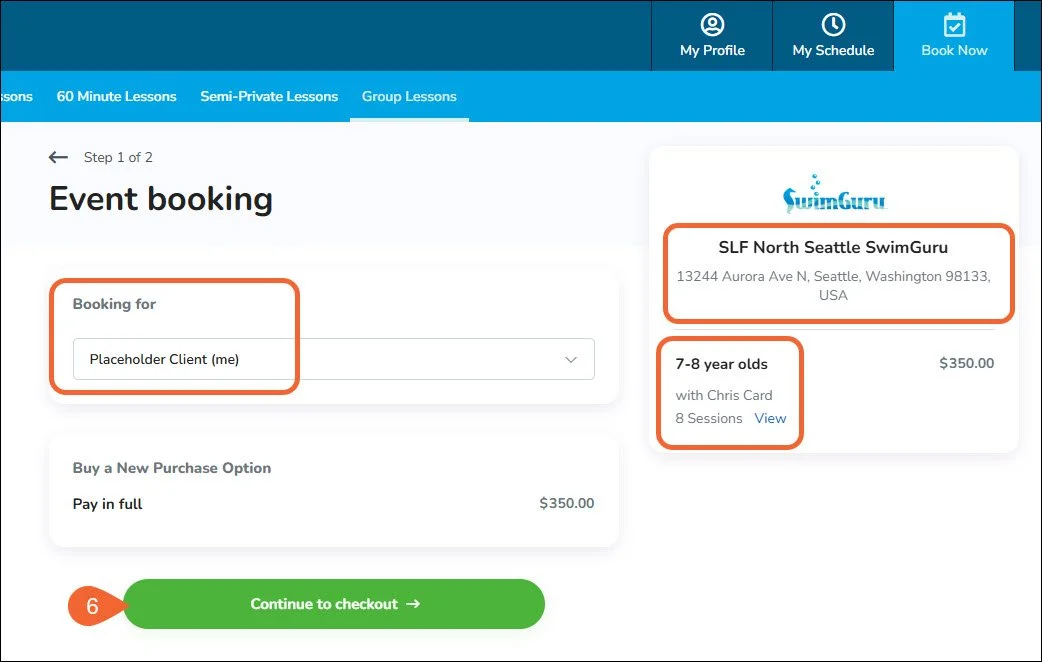
Confirm the details of the event: the student you are booking for, the location, and you can click “View” to see the details of the event. Click “Continue to checkout” to proceed.
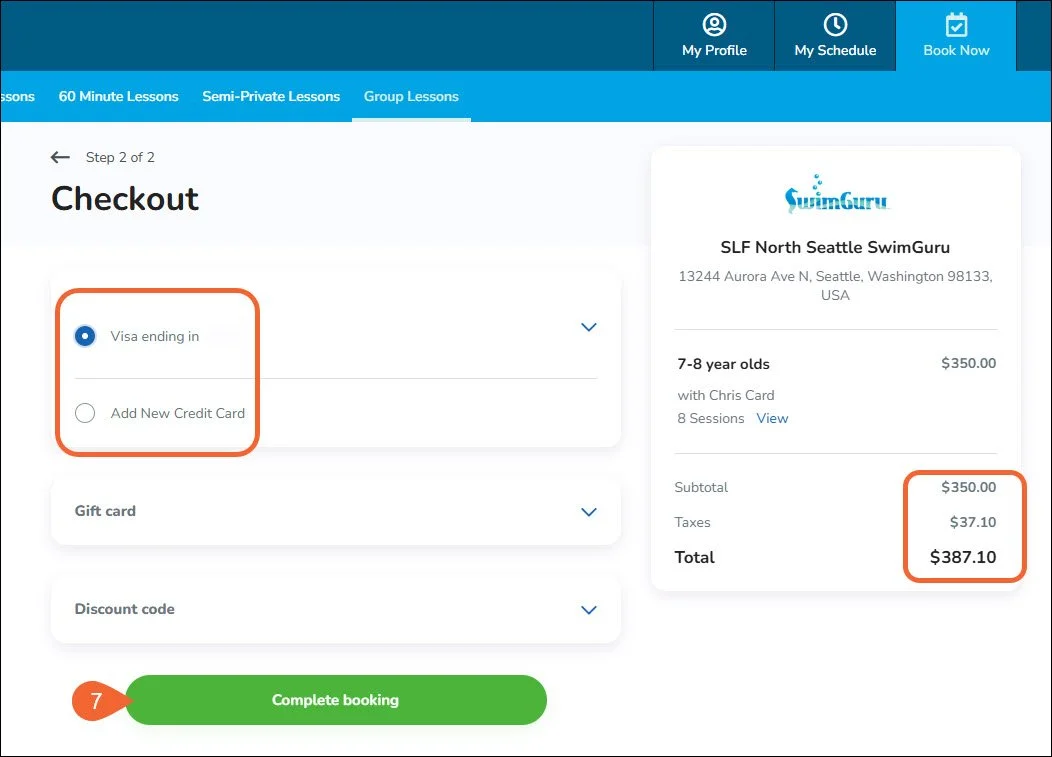
Confirm your total and choose your payment method. Click “Complete booking.”
Enrolling via the mobile app:
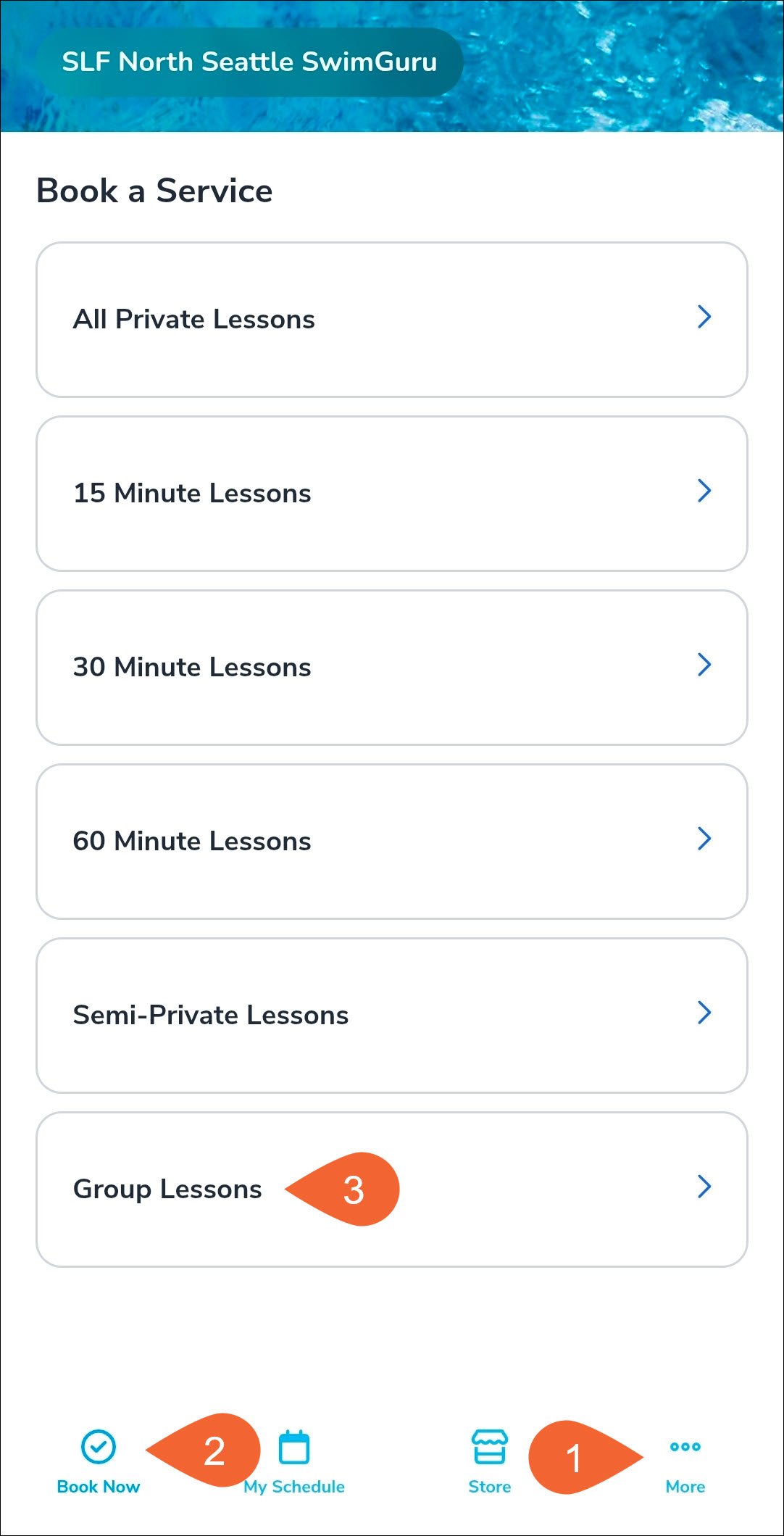
Ensure you are logged into the profile of the student who is enrolling. Tap on the “More…” tab on the bottom right to change.
Tap the “Book Now” tab. Ensure you are viewing the pool that has group lessons.
Scroll down to the “Group Lessons” tab and tap to select. You will not see this option if group lessons are not offered at this pool. Scroll up and tap “Change location” to switch pools.
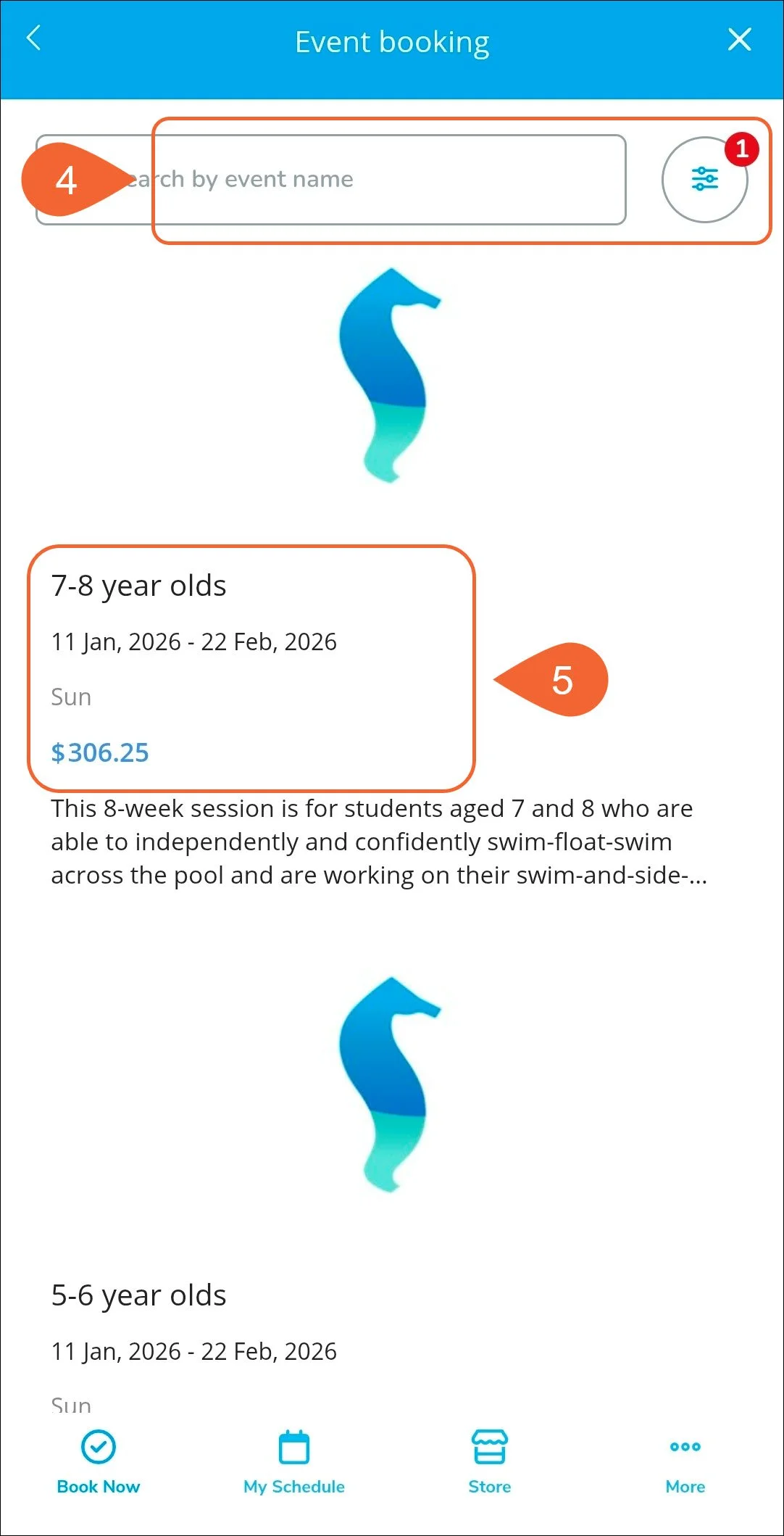
Filter for the age group that matches the swimmer’s age. You may also use the filters to limit classes offered on certain days of the week or time of day.
Each session will have a set schedule for the 8-weeks. You can see basic details of the session on this page as well as the cost. If you are enrolling after the first session the cost reflects the pro-rated amount. Tap on the session to see more and begin enrollment.
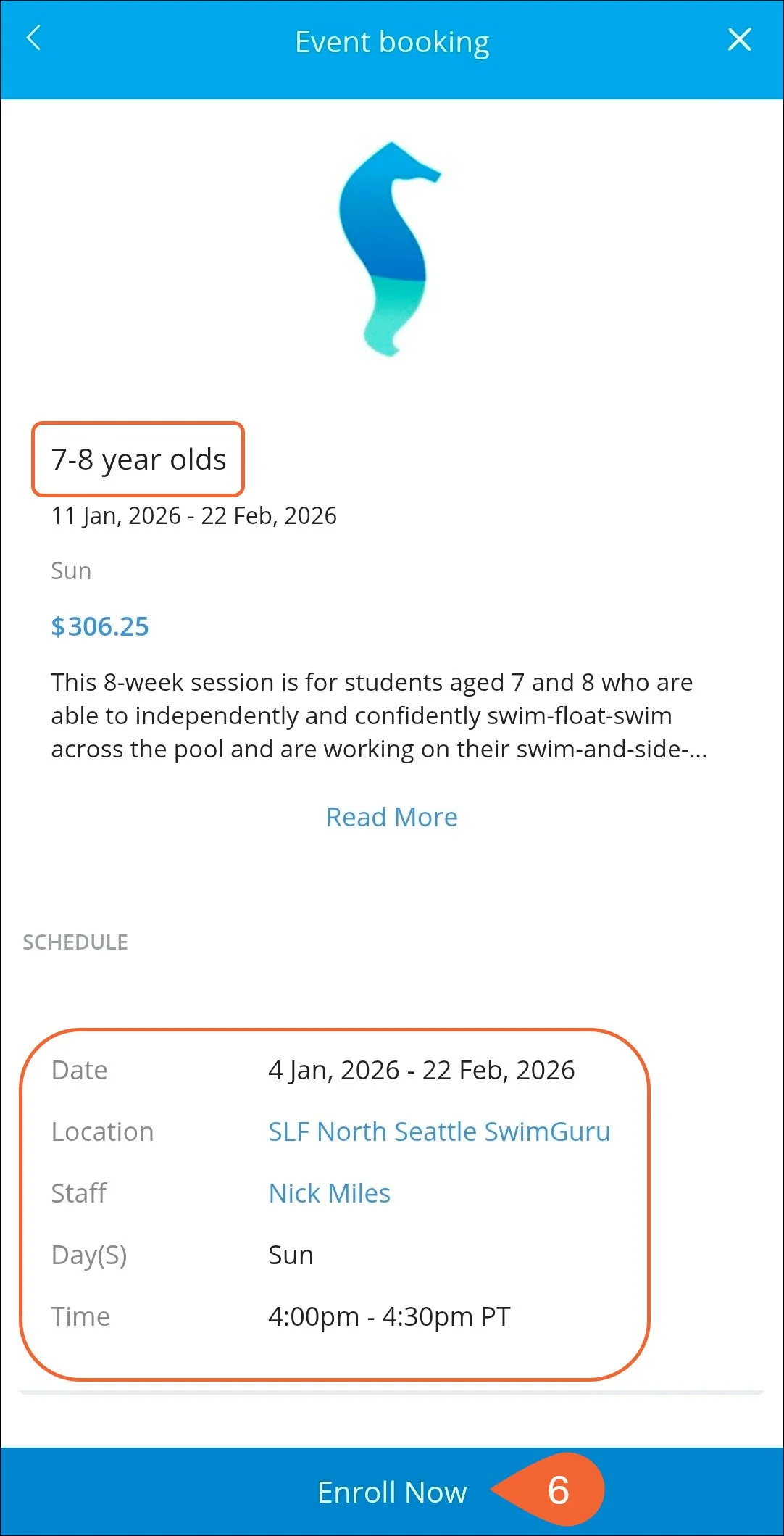
Review the details of the selected event and tap “Enroll Now” to continue. Tap the “x” in the top right to go back.
Note: if the student does not meet the criteria for the lesson type you will either see “Enrollment restricted” instead of “Enroll now” or you will get an error message stating the applicable age group for this event. Please reach out to support@swim.guru if you feel this is in error.
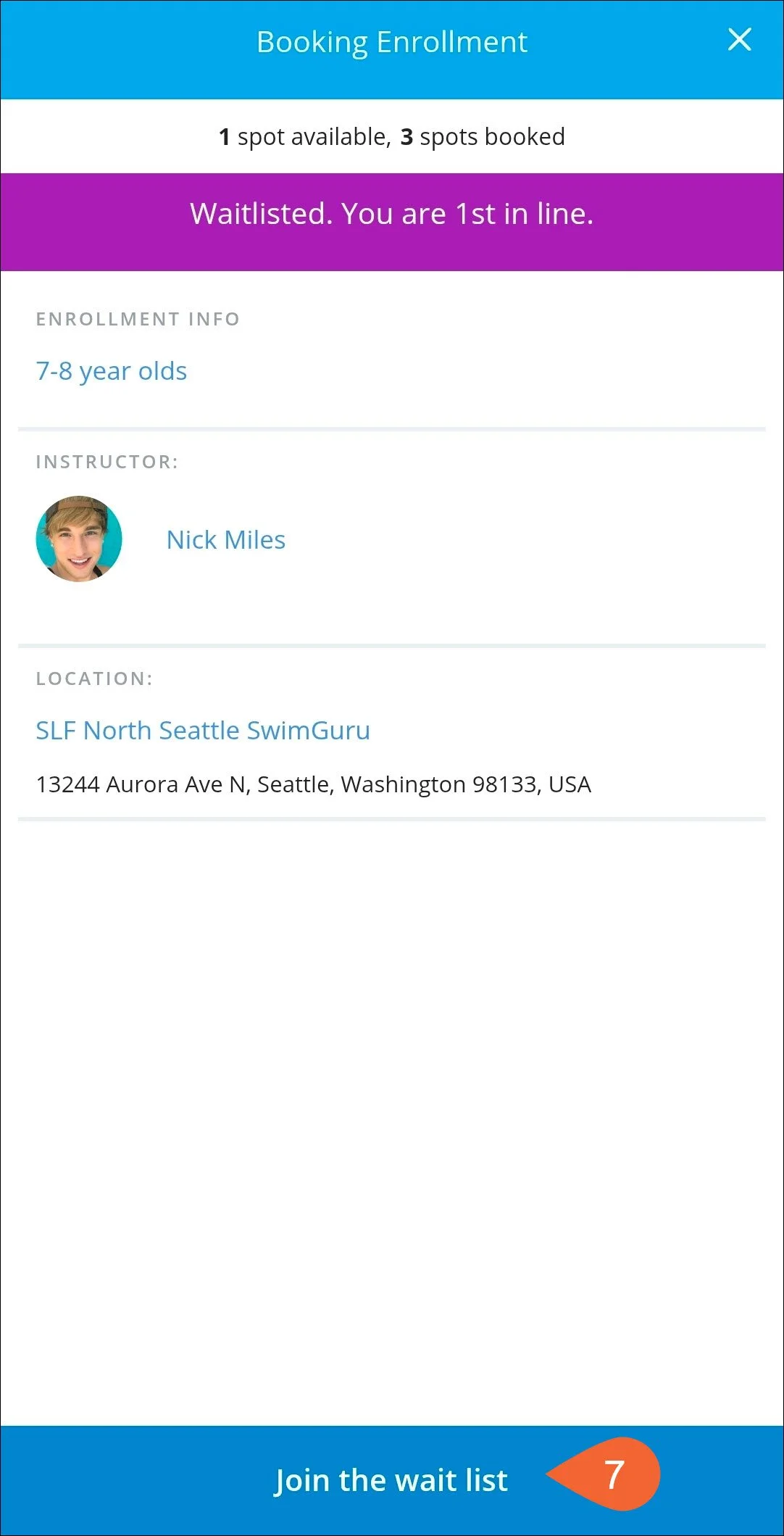
If the lesson is full you will see a message saying “Waitlisted. You are # in line.” at the top and “Join the wait list” at the bottom. Continue if you would like to join the wait list for this session. You will not have to pay until you have a confirmed spot.
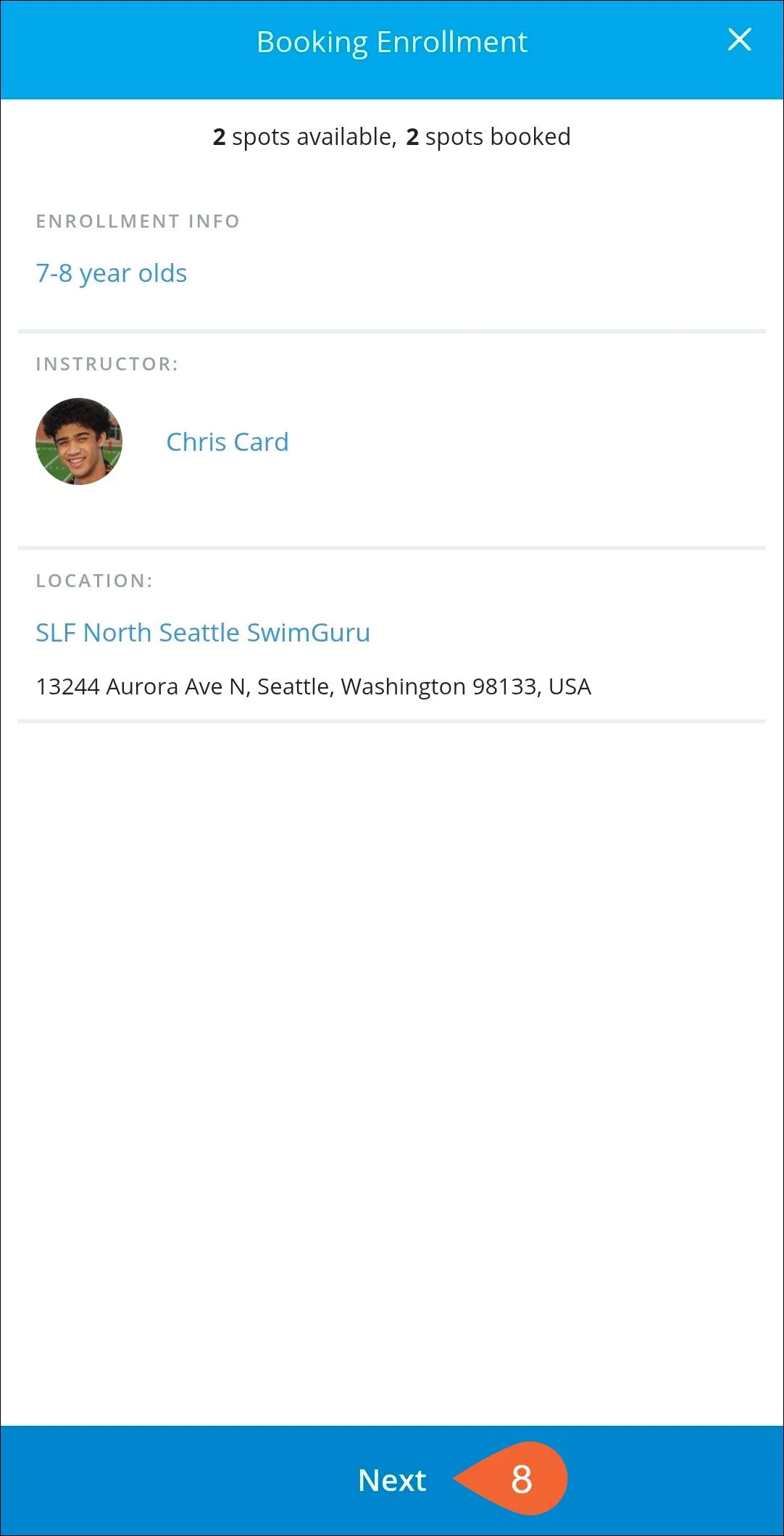
If a spot is available you will see basic details of the session. Tap “Next” at the bottom to continue.
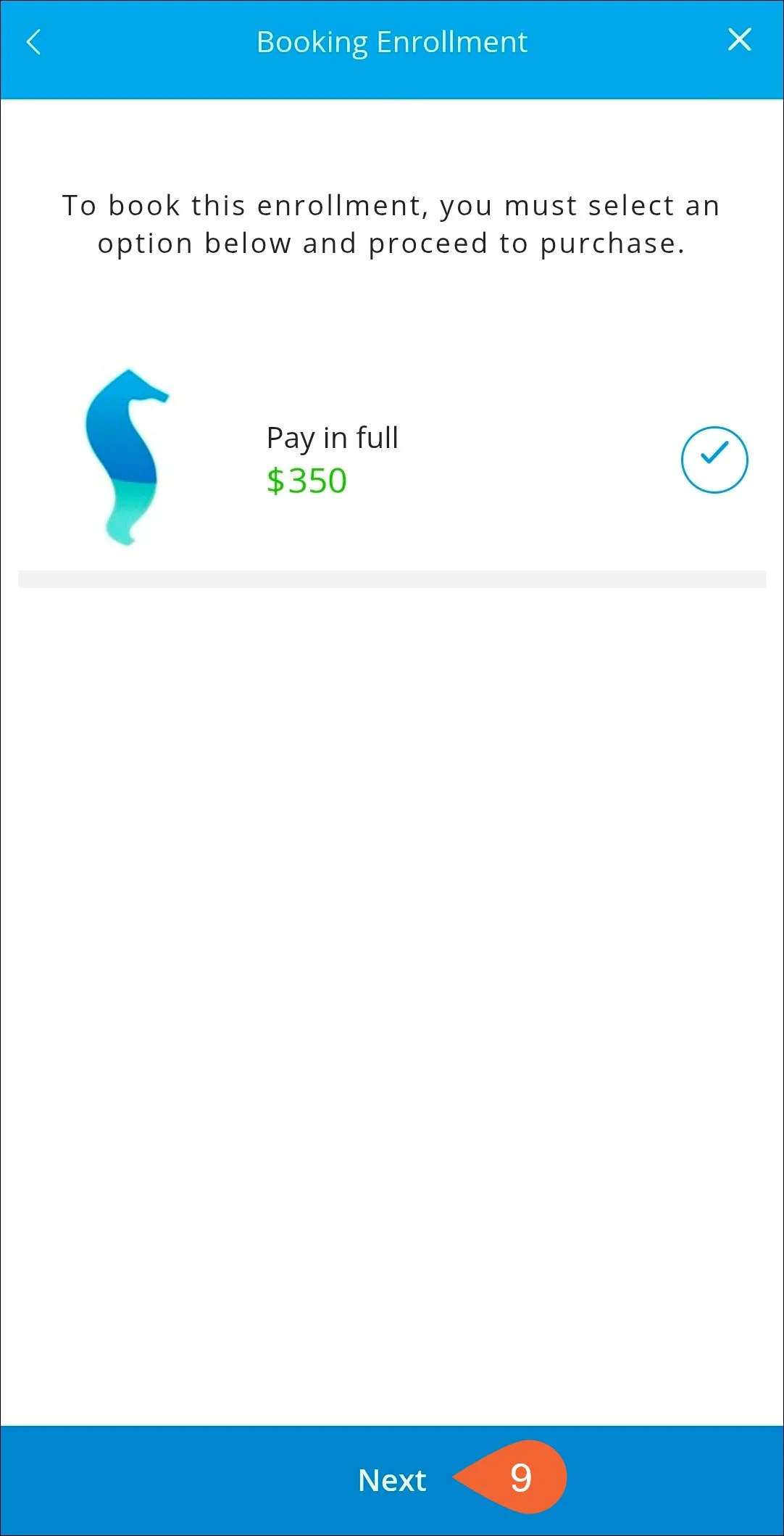
The next page shows the cost of the session. Tap "Next.”
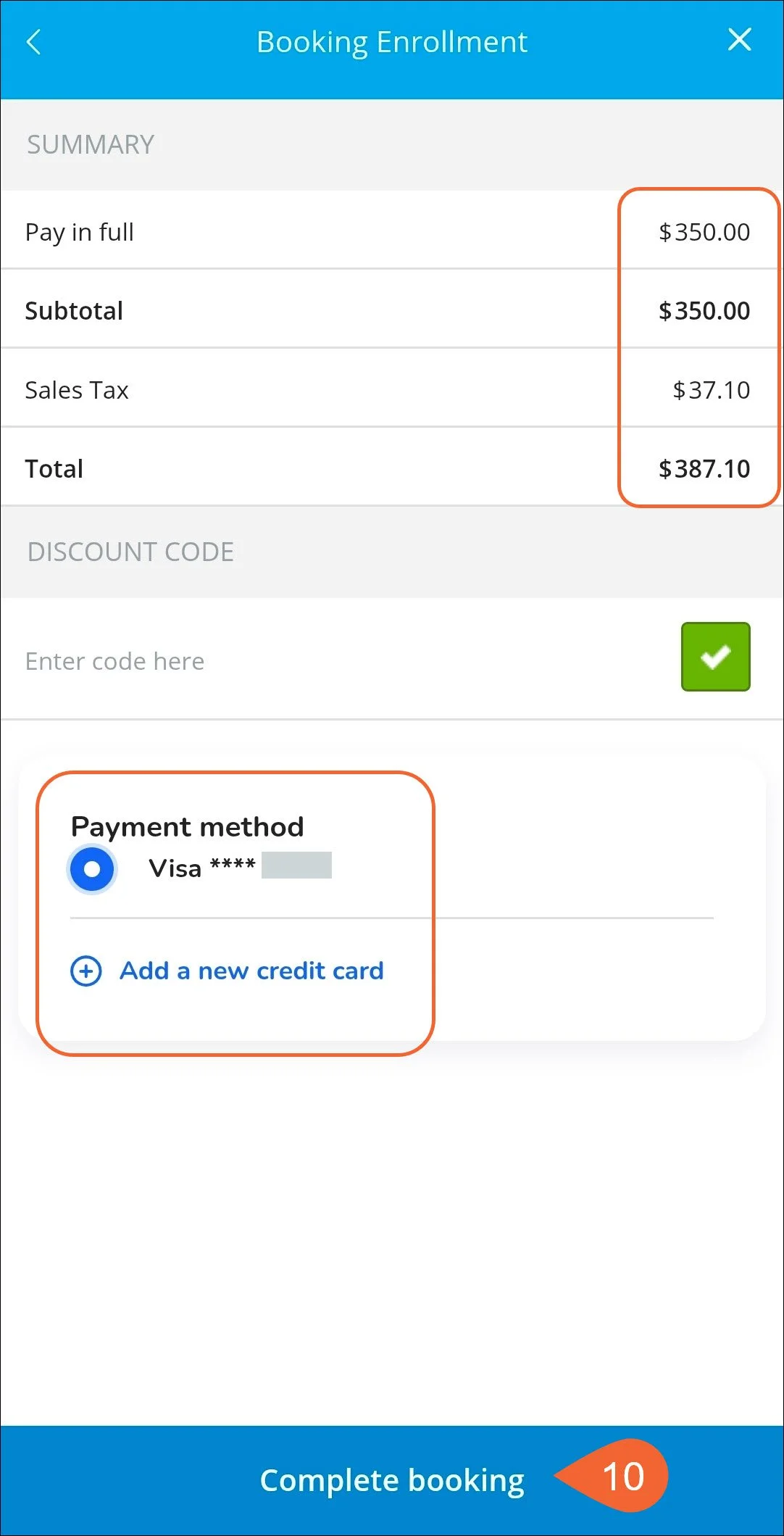
Confirm your total and payment method. Tap “Complete booking.”