
Common Issues
This page aims to describe common error messages or issues when using WellnessLiving. If you do not see your issue here, please contact support@swim.guru and we will review the issue.
Prompting to purchase a package when you know you have credits:
Double check the type of lesson that you are booking. Does the name of the lesson align with the name of the package you have? For example, New Child lessons are paid for with a New Child package, and Continuing Child lessons are paid for with Continuing Child packages.
Double check that the student being booked for is the student with available credits. If you are on mobile, you will have to switch profiles to book for individual students. See this article for detailed instructions.
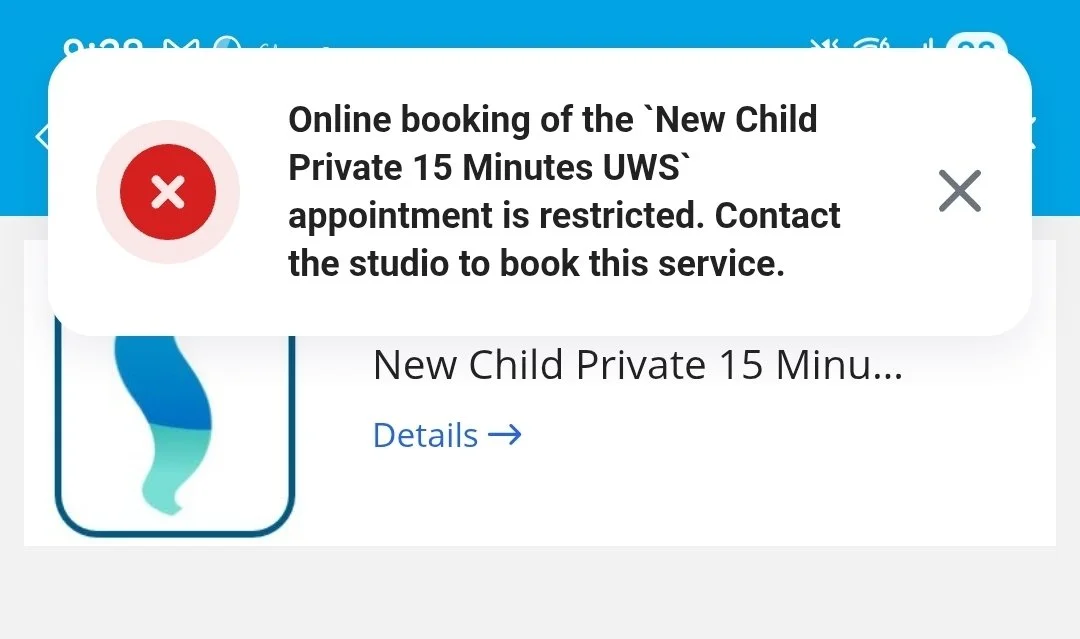
“Appointment is restricted. Contact the studio to book this service.”
“Child” lessons are restricted to those whose ages are under 18. Double-check that you are booking under the correct profile and that the birthdate of the child is correct.
For additional information and detailed instructions on booking, please see our page on Scheduling Private Lessons.
Payment issues:
We require a non-expired credit card to be on file to book lessons. If you receive an error for payment, please double check the card on file and its expiration date. If it expires in the current month, you will need to update it.
If you are unable to update a card, take a moment to review the profiles of the student and any relationships. Click “My Profile” and then “Edit Profile”: at the top (above the avatar) there is a dropdown selection for who pays for that account. If it is anyone other than the profile owner then you will need to go to that other profile to update the card.
When the dropdown says “me” - it means that this profile pays for itself. The other options list this profile’s relationships.
For families, we recommend that one caregiver be the primary payer. This helps keeps your accounts simpler.
If it is not allowing you to update a payment type, switch to another profile. Most likely, the first profile is paid for by another, which is why you can’t update the card there.