Rewards Program
We truly appreciate our entire SwimGuru community and want to show our gratitude! With our rewards program you will earn points for referrals, reviews, continuing lesson purchases, and birthdays. These points are redeemable for private continuing lesson credits. The first two sections of this page describe our rewards program and the last two sections provide instructions on how to redeem your points for lesson credits.
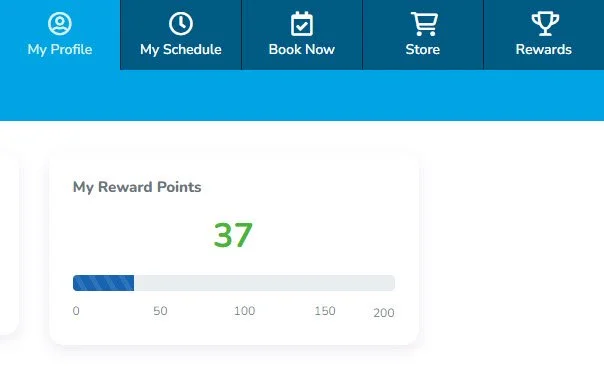
Accruing Points
Referrals and Reviews: one of the missions of SwimGuru is to help make as many people as water-safe as possible. Your referrals and reviews help us do this! You will earn 10 points for each referral who purchases a New Student package (child or adult) as well as 10 points for each review* on Google, Facebook, WellnessLiving, and Yelp each year.
Note: to receive points for Google, Yelp, and Facebook reviews, please go to Rewards > Earn Points > Review Type > Request Points. These points are manually added by our staff.
*You may leave a review on any and all SwimGuru locations, but you will only receive points for one review per year per platform.
Referral Note: you need to provide your WellnessLiving login email to your referral to receive the automatic points. New clients have a space during registration to include the email of the person who referred them.
Continuing Lessons: you will earn points for each continuing private lesson you purchase. You will get 2 points for every 15 minutes of instruction.
Birthdays: we want to celebrate YOU! We wouldn’t be here without our wonderful students and families, so you will automatically get 5 points each year on your birthday.
Redeeming Points
Redeemable Prizes: you can use the rewards in the Store to purchase a single Continuing Student lesson (Child 15- or 30-minute, Adult 30- or 60-minute). Every 15-minutes of instruction requires 40 points to redeem. When you have enough points, you will be prompted to apply the discount. Be sure to check the box to apply the discount and that the total value shows $0!
Family accounts: We are happy to consider points across all family profiles as family points. Depending on how the points were gained, they may go to a different family member.
Request Point Transfer or Credit Transfer
If you have points spread across family members and would like to consolidate them you can. Fill out this form to let us know who the points should go to.
When points are redeemed for a lesson credit that credit will be applied to the profile where it was redeemed (often a parent profile). You will need to ask a staff member to transfer the credit to a student in order to book a lesson in their name. You may use this form to request this transfer.
In either case, you are welcome to request a transfer by reaching out to support@swim.guru as well!
How to redeem points on a web browser:
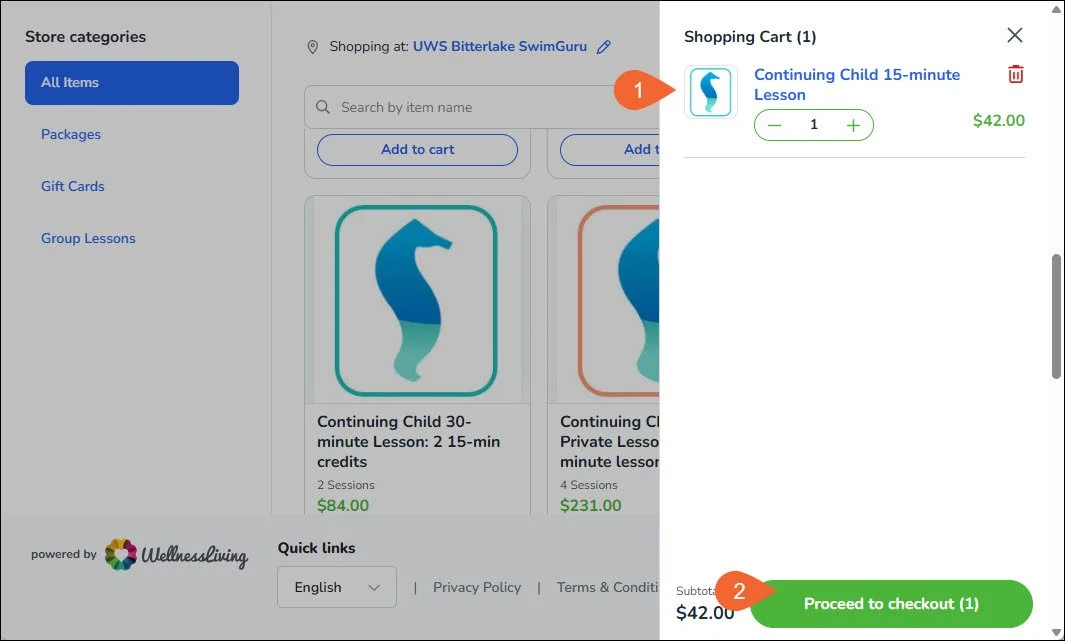
Click on the “Store” tab on the top ribbon and add a purchase option to your cart. Credits that can be purchased with points are:
a. Continuing Child 15-minute lesson (40 points)
b. Continuing Child 30-minute lesson (80 points)
c. Continuing Adult 30-minute lesson (80 points)
d. Continuing Adult 60-minute lesson (160 points)Click “Proceed to checkout.”
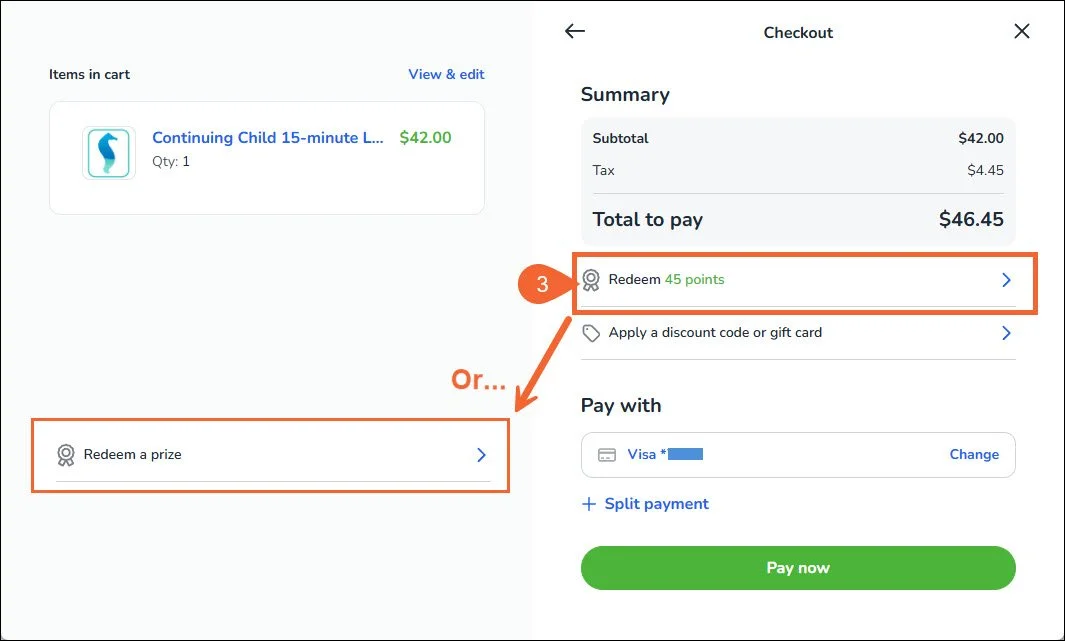
If you have enough points available, you will see a button to “Redeem X points.” Click this to select the code. You will not see this if you don’t have enough points or you have not chosen an applicable purchase option. If you have already redeemed a prize it will say “Redeem a prize.”
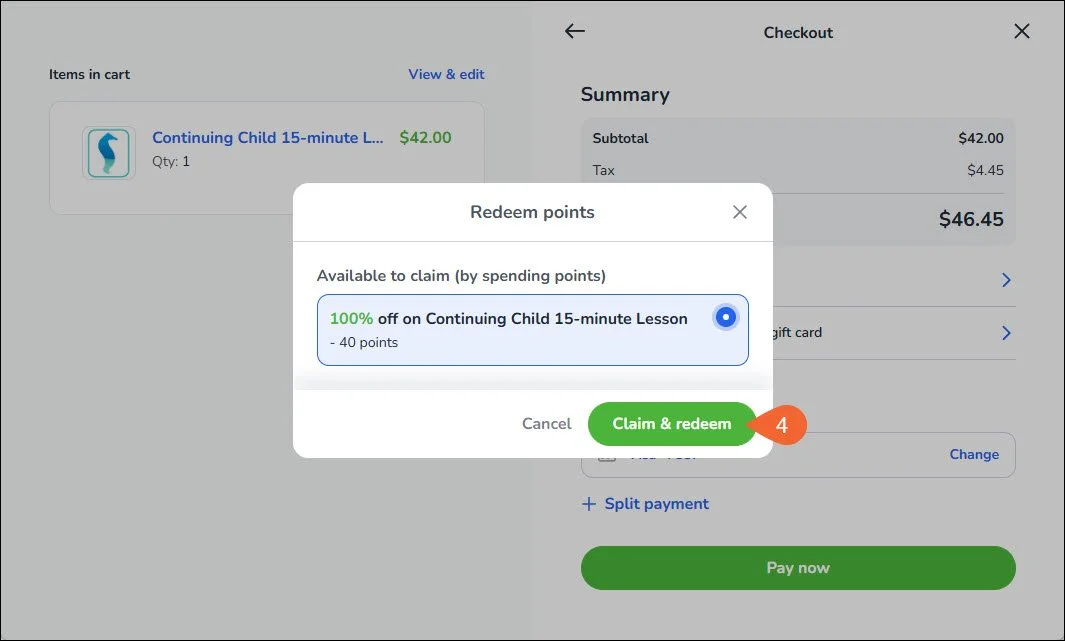
Note: Only one reward can be redeem per purchase.Select the prize to redeem and click “Claim & redeem.”
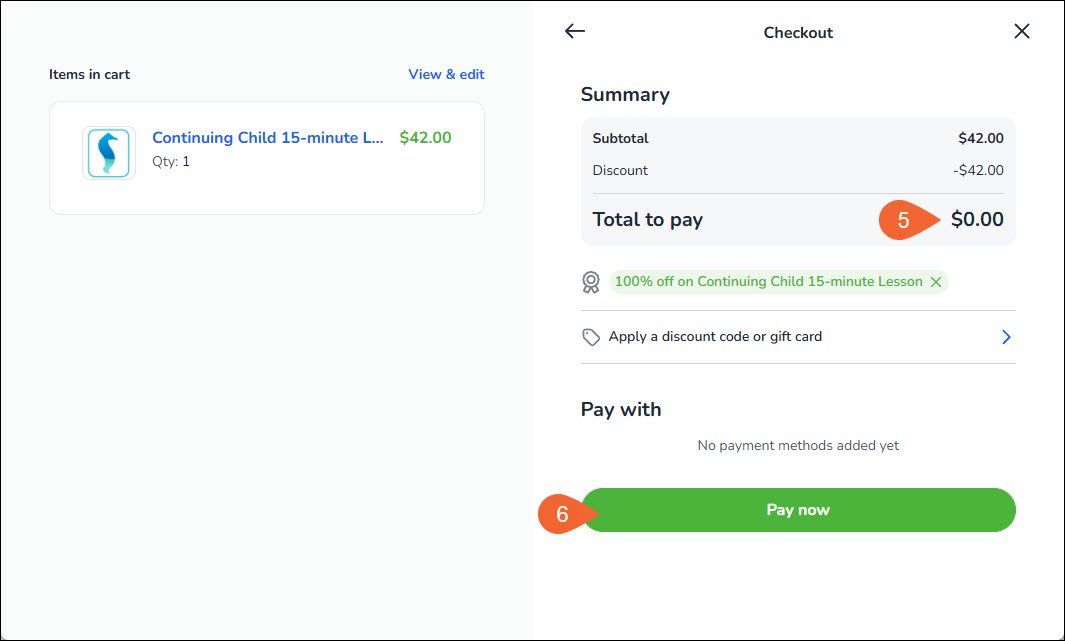
Confirm that the item price has changed to $0.00 and that your total after tax is also $0.00.
Click “Checkout.”
How to redeem points on the mobile app:
You must be logged into the profile that has available points. Otherwise you will not see the options to redeem points or rewards.
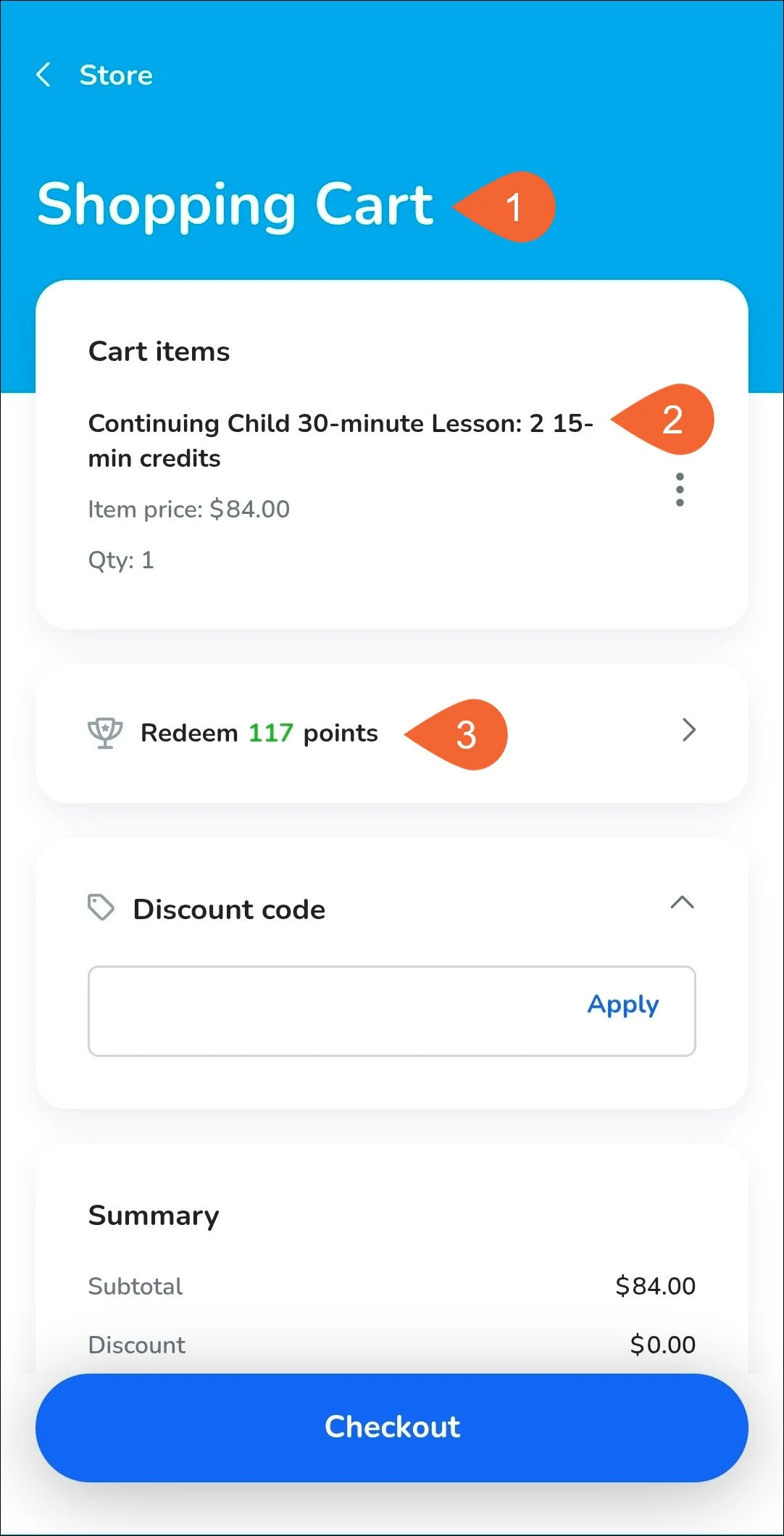
Tap on the “Store” tab then add a credit type to your cart. Credits that can be purchased with points are:
a. Continuing Child 15-minute lesson (40 points)
b. Continuing Child 30-minute lesson (80 points)
c. Continuing Adult 30-minute lesson (80 points)
d. Continuing Adult 60-minute lesson (160 points)Proceed to checkout to view the item in your cart.
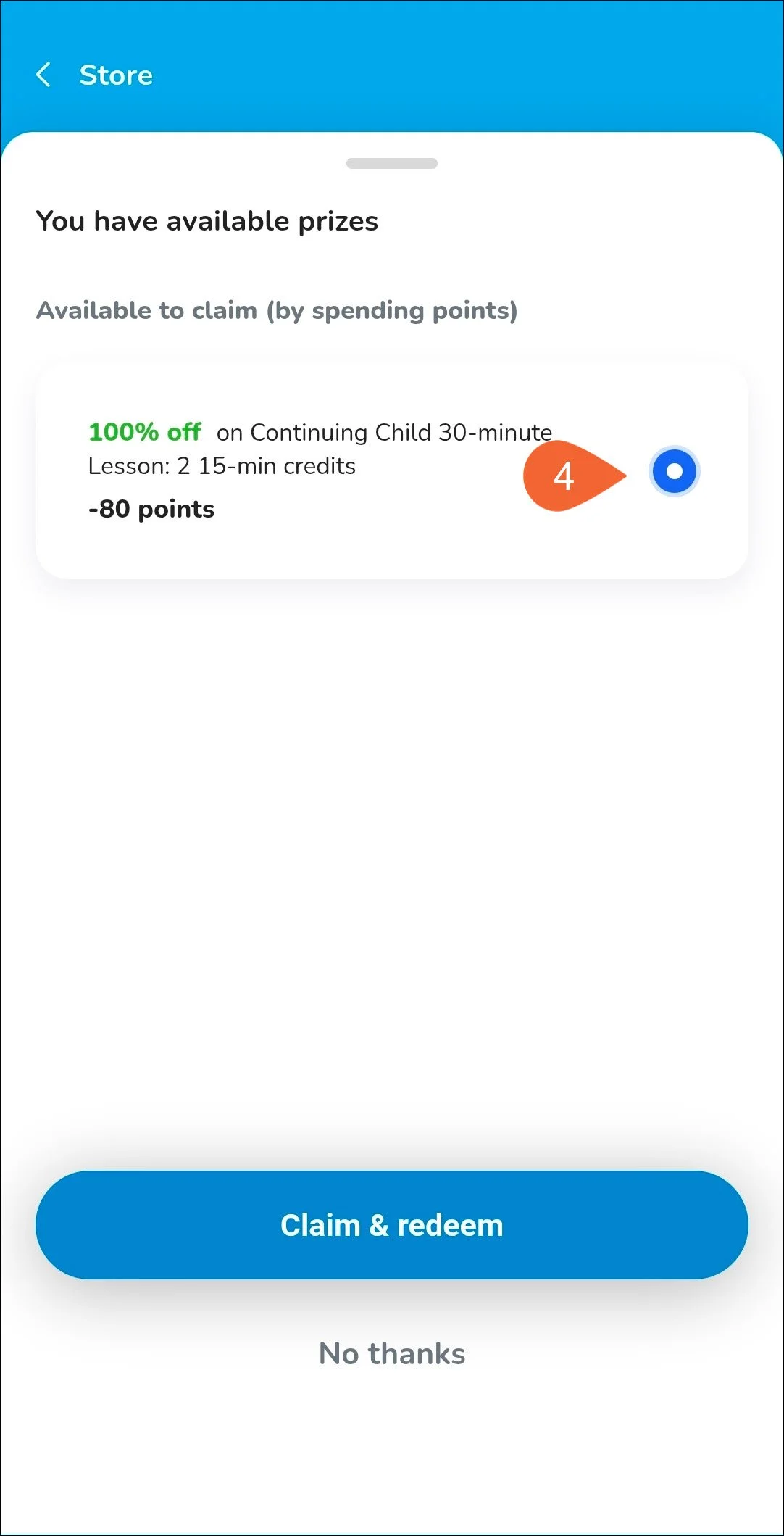
If you have enough points available, you will see a button to “Redeem X points.” Click this to select the code. You will not see this if you don’t have enough points or you have not chosen an applicable purchase option. If you have already redeemed a prize it will say “Redeem a prize.”
Note: Only one reward can be redeem per purchase.Select the prize to redeem and tap “Claim & redeem.”
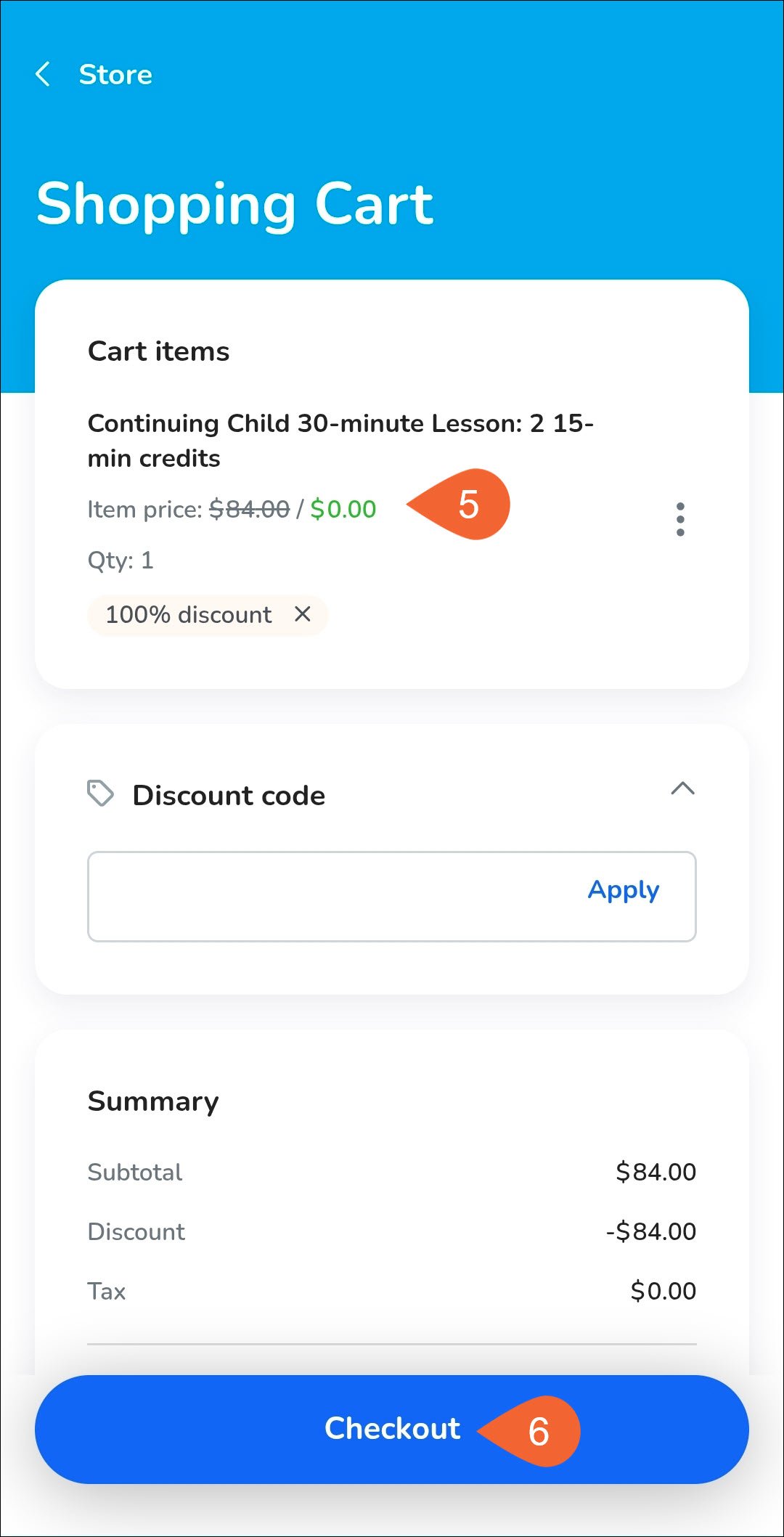
Confirm that the item price has changed to $0.00 and that your total after tax is also $0.00.
Tap “Checkout.”