Purchasing Credits
This page includes instructions for purchasing credits (either individually or as a package) for both a web browser and on the SwimGuru mobile app. Each method includes step-by-step pictures.
On a web browser:
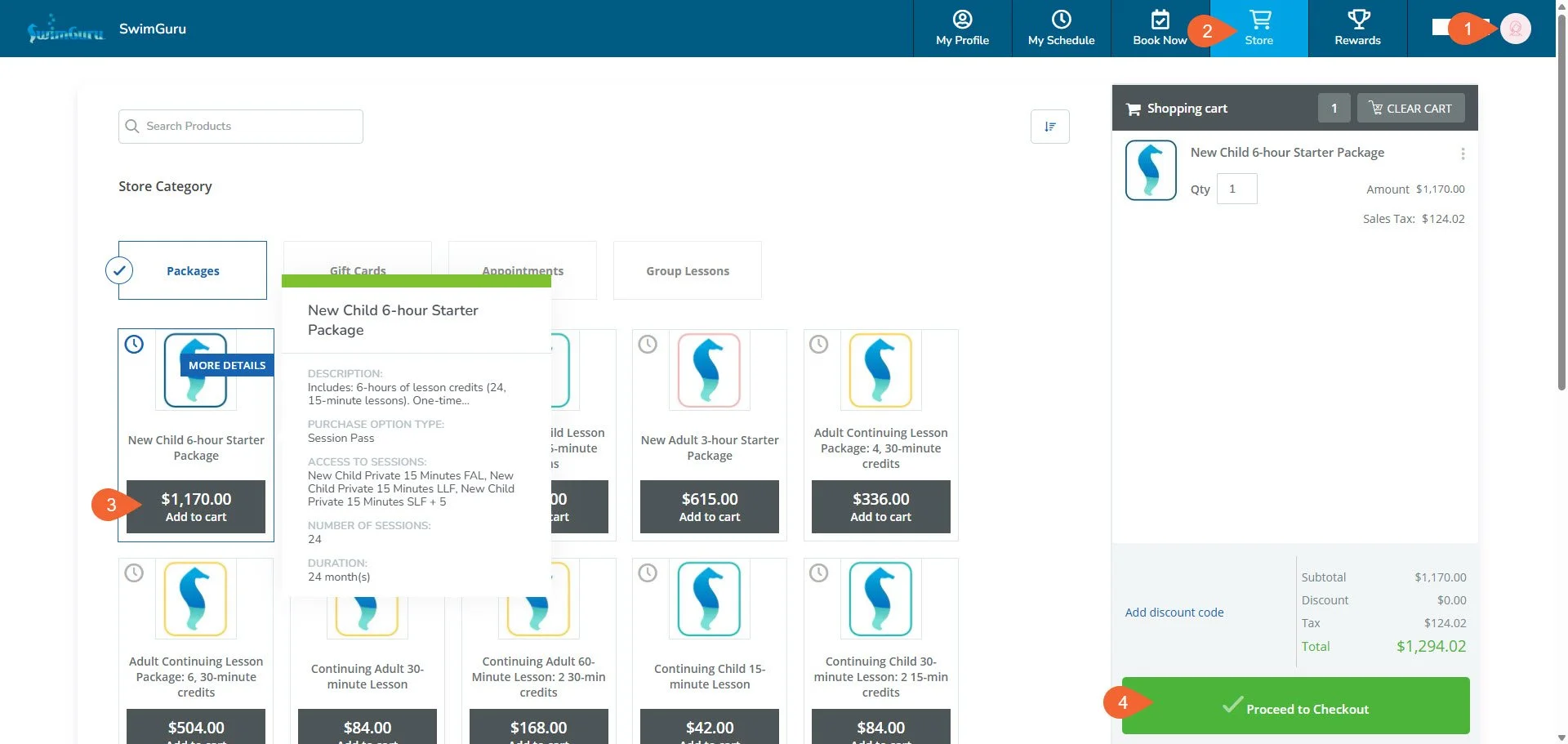
Choose the profile of the swimmer who needs credits by clicking on your avatar on the top right then choosing their name from the menu.
If you can’t see your whole family’s names here, fill out our Account Request form to have a staff member connect everyone together! It makes navigating between profiles much smoother.
Click on the “Store” tab.
Choose the package that the swimmer needs and follow the prompts to either “Add to Cart” or “Buy Now.” Continue to follow the prompts to purchase what you have added to your cart.
Students brand new to SwimGuru will all start with a “New Starter Package.”
If the swimmer has completed that package, choose a “Continuing” lesson package.
Students with approval for semi-private lessons from a coach will also need to coordinate a partner for these lessons themselves.
Repeat these steps for each swimmer in your family that needs credits. Remember to switch to each swimmer’s profile before purchasing!
If you accidentally purchase a package on the wrong profile, don’t worry! Reach out to support@swim.guru or fill our our Account Request form to ask a staff member to transfer the package!
Booking on a web browser steps 1-4
On the SwimGuru Mobile App:
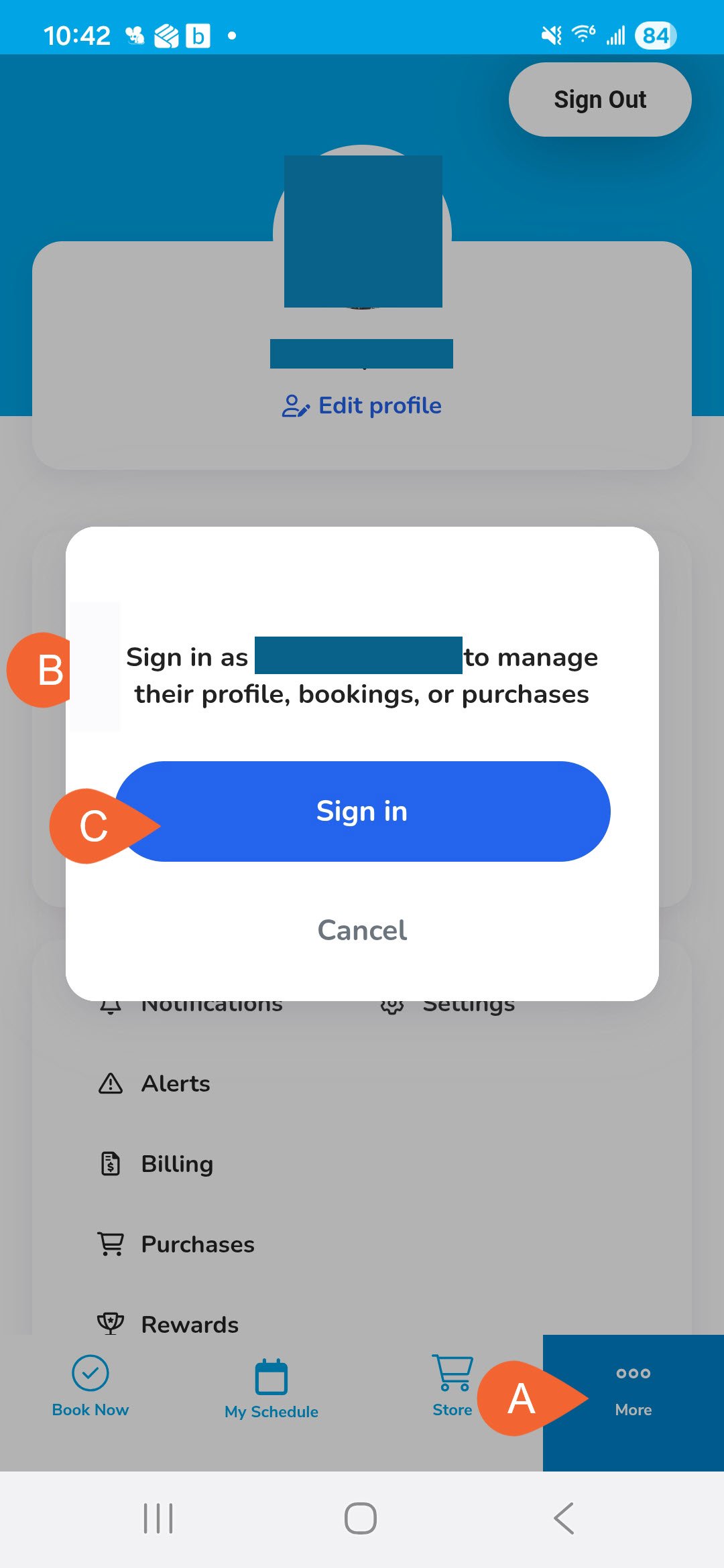
Choose the profile of the swimmer who needs credits by tapping on “More…” on the bottom right, then tapping on the profile of the swimmer, then “Sign in.”
If you can’t see your whole family’s names here, fill out our Account Request form to have a staff member connect everyone together! It makes navigating between profiles much faster.
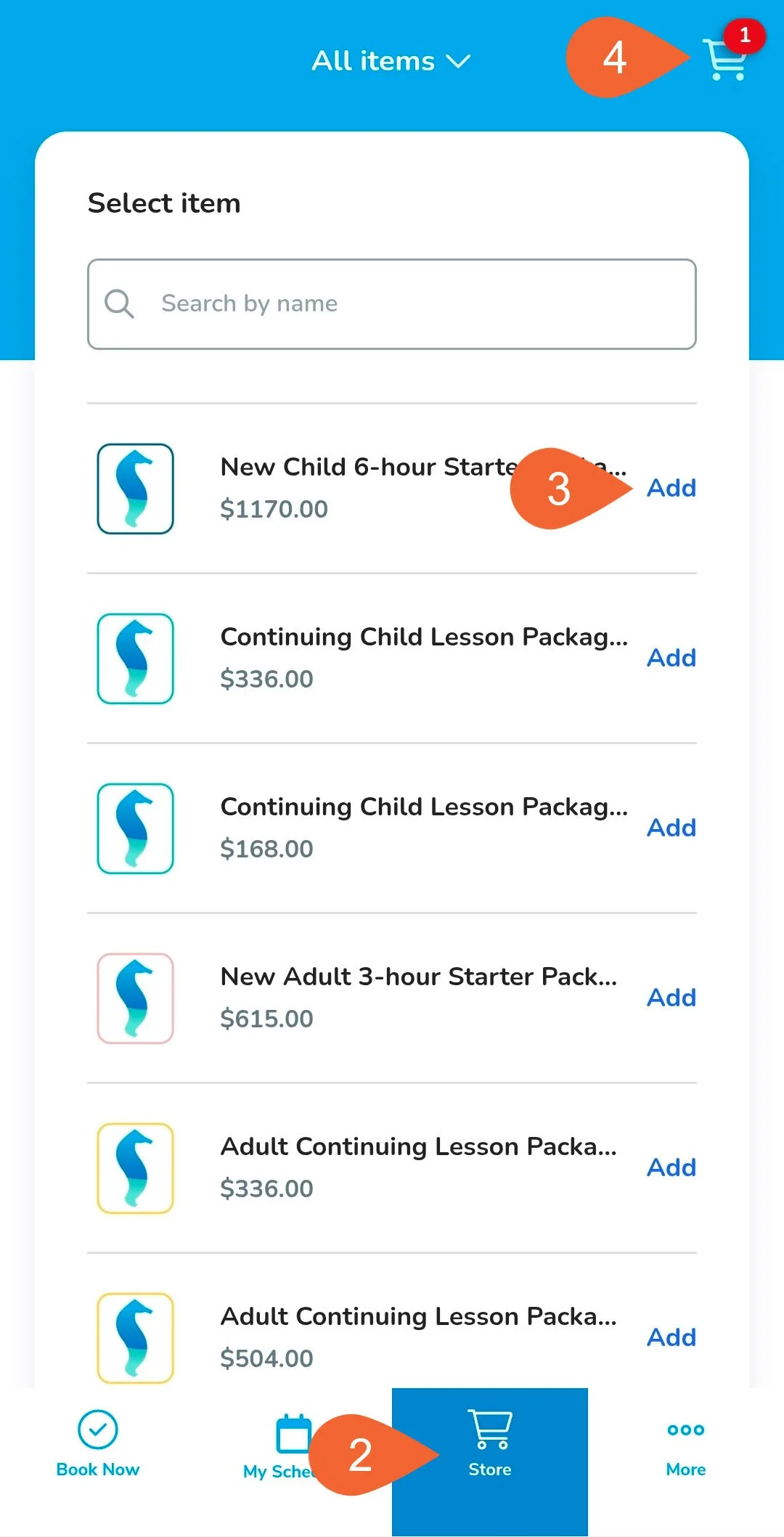
Tap on the “Store” tab.
Choose the package that the swimmer needs and tap “Add” to add it to your cart.
Students brand new to SwimGuru will all start with a “New Starter Package.”
If the swimmer has completed that package, choose a “Continuing” lesson package.
Students with approval for semi-private lessons from a coach will also need to coordinate a partner for these lessons themselves.
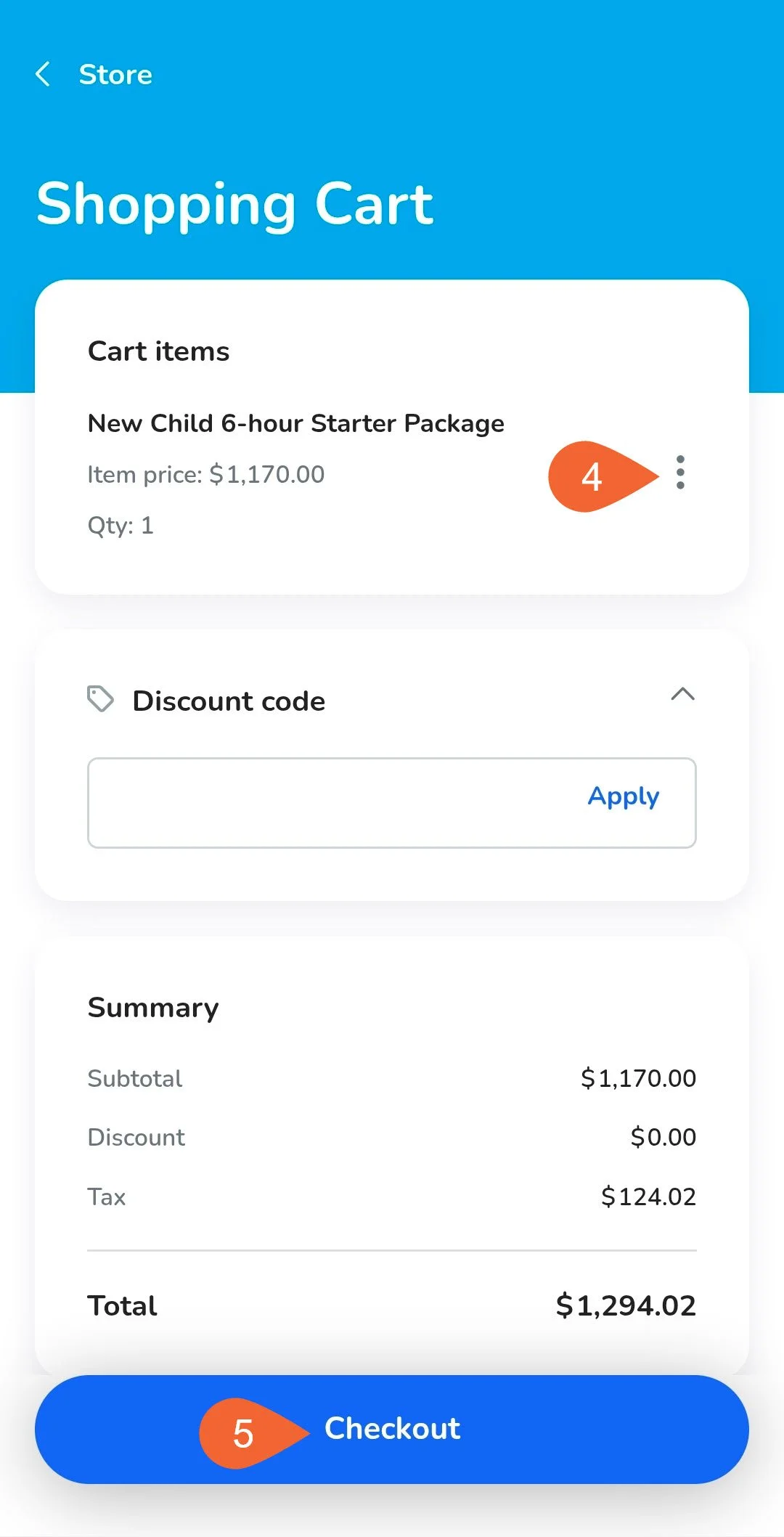
When ready, tap your cart in the upper right corner. To edit or delete the item, tap the 3 dots to the right of the item.
Tap “Checkout” and continue to follow the prompts to purchase what you have added to your cart.
Repeat these steps for each swimmer in your family that needs credits. Remember to switch to each swimmer’s profile before purchasing!
If you accidentally purchase a package on the wrong profile, don’t worry! Reach out to support@swim.guru or fill our our Account Request form to ask a staff member to transfer the package!